Your practical guide to virtual production
Learn the basics of LED virtual production and how to harness its transformative capabilities to unlock limitless creativity.
Virtual production has brought about one of the most profound shifts in filmmaking. But for many producers, the real questions aren’t about technology, but practicality. How does this change the way I plan a shoot? Where does it save time? What does it actually look like on set?
At its core, virtual production replaces unpredictable physical environments with controlled, real-time digital ones. LED walls display photoreal scenes, camera tracking syncs movement and perspective, and real-time rendering tools (like Unreal Engine) allow environments to respond instantly as you shoot. Instead of waiting for post-production to show clients the final look, producers can see lighting, reflections, geography, and atmosphere play out live—and make decisions in the moment, not weeks later.
For production teams balancing tight deadlines, multiple locations, and ever-changing client demands, virtual production is less about novelty and more about efficiency. It offers a way to shoot multiple “locations” in a single day without travel, avoid weather and permit risks, align stakeholders with real-time previews, and keep budgets more predictable.
This guide walks through the fundamentals—tools, roles, workflows, planning steps, cost factors, and key terms—to help any producer understand how virtual production actually works.
Step into the virtual production studio
What is LED virtual production?
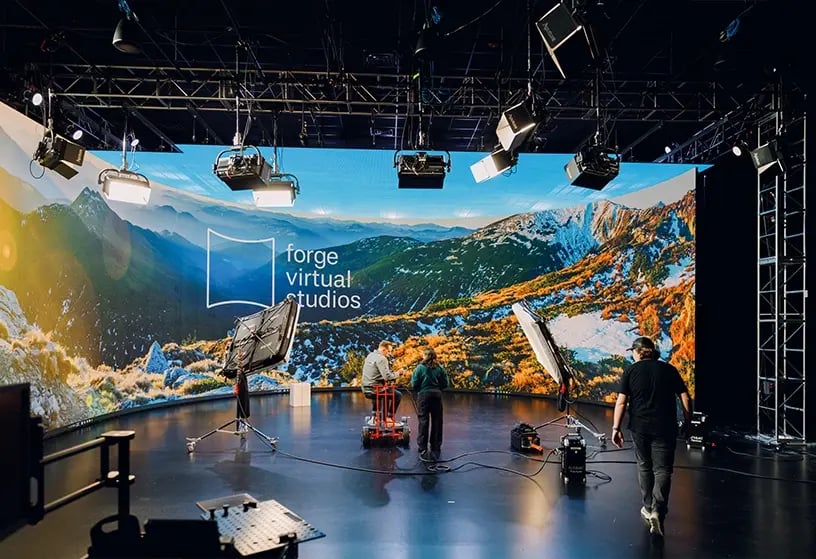
Virtual production brings digital environments onto the set so you can see and capture final-pixel imagery in real time. Instead of shooting on a physical location or in front of a green screen, an LED volume wall displays the world your scene takes place in: an abandoned cityscape at sunrise, an automated warehouse interior, a colony on the moon, anything you can realistically build in 2D or 3D.
Because the environment is generated and updated by real-time rendering engines (most commonly Unreal Engine), the perspective shifts as the camera moves. Parallax, lighting cues, and reflections behave naturally, which allows talent and physical props to blend with the digital world without the separation you’d get from a traditional VFX pipeline.
It’s important to recognize that virtual production is a workflow, not a single tool. It brings together LED walls, camera tracking, real-time rendering, lighting integration, and a specialized crew to let you make creative decisions on set instead of in post.
A practical way to think about it:
- Traditional workflow: capture → hand off to VFX → revise → wait
- Virtual production workflow: see → adjust → capture → deliver
This flow shortens post-production cycles, removes dependencies like weather or daylight windows, and guarantees you see exactly what you’re getting during the shoot.
Virtual production roles explained
On an LED virtual production stage, deep collaboration is critical. By understanding who does what, producers can plan more effectively and efficiently. These are the core roles you’ll commonly encounter:
Director of Photography (DP)
Leads camera, lighting, and overall visual style
“Oversees the visual language of the project, working with virtual environments, LED walls, and lighting to ensure the digital and physical elements blend seamlessly on camera.”
Virtual Production Supervisor
Connects creative, tech, and virtual shoot timing
“Connects creative goals with technical requirements. Ensures environments, tracking, lighting, and stage operations align so the real-time workflow runs smoothly from prep through delivery.”
Unreal Engine Artist
Builds 3D worlds, lighting, and scene interactions
“Builds and optimizes 3D environments for real-time rendering. Adjusts layout, lighting, and camera responsiveness so the digital scene behaves naturally during the shoot.”
LED Technician / LED Operator
Controls LED wall output & on-set screen quality
“Manages the LED volume, panel performance, color accuracy, brightness, and playback. Ensures the wall responds correctly to camera movement and rendering updates.”
Camera Tracking Operator
Syncs camera with virtual scenes for true realism
“Runs the tracking system that synchronizes the camera’s position and movement with the digital environment, enabling accurate parallax and realistic final-pixel results.”
Motion Control Operator
Executes precise, repeatable camera motion on set
“Programs repeatable camera moves for complex shots. Ensures precision, consistency, and seamless integration between physical camera paths and virtual environments.”
How virtual production works
Virtual production merges physical cinematography with real-time digital environments. At its core, it’s an ecosystem of hardware, software, and synchronization layers working together to create a single, coherent space for the camera. Here’s how the major components actually function on set.
1. LED volumes as image surfaces and lighting sources
Not just displays, LED walls act as both the background and a massive lighting instrument. High-bit-depth panels (typically 1.2–2.6mm pixel pitch) emit accurate color and luminance values, allowing the DP to treat them as an environmental light source. Practical fixtures are then used to shape contrast, key direction, or accents that the volume can’t provide on its own.
2. Camera tracking anchors the physical camera to the virtual world
Optical or sensor-based tracking systems (e.g., Stype, Mo-Sys) calculate the camera’s position and lens metadata in three-dimensional space. This data drives the real-time engine so the virtual environment shifts perspective exactly as the camera moves. Accurate tracking is what creates believable parallax, horizon stability, and proper scale relationships between physical and digital elements.
3. Real-time engines render the environment at frame rate
Unreal Engine (or similar real-time renderers) generates 3D scenes at the same frame rate and resolution as the production cameras. These engines feed two outputs:
- Frustum view: the portion of the environment visible to the camera, rendered at highest quality.
- Outer frustum: lower-res render for the parts of the LED wall outside the camera’s field of view.
This division ensures performance without sacrificing image fidelity.
4. Color management ensures the virtual world matches the camera’s response
Color pipelines map LED output, virtual lighting, and camera profiles into a unified space. LUTs, ACES workflows, or custom transforms ensure the environment’s colors respond predictably under cinematographic lighting. Without proper color management, you risk color shift, clipping, or LED artifacts that derail in-camera results.
5. Lighting is a blend of virtual and practical sources
While the LED wall provides ambient bounce, reflections, and environmental cues, it rarely delivers complete key lighting. DPs typically combine:
- LED volume output (for realism and environment consistency)
- Practical fixtures (to create shape, depth, and controlled exposure)
Matching color temperature, spectral output, and lighting ratios is essential to maintaining a cohesive final image.
6. Playback, environment adjustment, and scene blocking happen simultaneously
Because everything is rendered live, adjustments to geography, time-of-day, lensing, or set layout can be made without tearing down environments. This allows departments to block scenes while the virtual art team updates assets, grounding the digital space in the physical workflow.
“Lorem ipsum dolor sit amet, consectetur adipiscing elit, sed do eiusmod tempor incididunt ut labore et dolore magna aliqua. Ut enim ad minim veniam, quis nostrud exercitation ullamco laboris nisi ut aliquip ex ea commodo consequat. Duis aute irure dolor in reprehenderit in voluptate velit esse cillum dolore eu fugiat nulla pariatur.”
Lorem Ipsum
Director of Lorem Ipsum
Lorem ipsum dolor sit amet, consectetur adipiscing elit, sed do eiusmod tempor incididunt ut labore et dolore magna aliqua. Ut enim ad minim veniam, quis nostrud exercitation ullamco laboris nisi ut aliquip ex ea commodo consequat. Duis aute irure dolor in reprehenderit in voluptate velit esse cillum dolore eu fugiat nulla pariatur. Excepteur sint occaecat cupidatat non proident, sunt in culpa qui officia deserunt mollit anim id est laborum.
Sed ut perspiciatis unde omnis iste natus error sit voluptatem accusantium doloremque laudantium, totam rem aperiam, eaque ipsa quae ab illo inventore veritatis et quasi architecto beatae vitae dicta sunt explicabo. Nemo enim ipsam voluptatem quia voluptas sit aspernatur aut odit aut fugit, sed quia consequuntur magni dolores eos qui ratione voluptatem sequi nesciunt.
Neque porro quisquam est, qui dolorem ipsum quia dolor sit amet, consectetur, adipisci velit, sed quia non numquam eius modi tempora incidunt ut labore et dolore magnam aliquam quaerat voluptatem. Ut enim ad minima veniam, quis nostrum exercitationem ullam corporis suscipit laboriosam, nisi ut aliquid ex ea commodi consequatur?
Ready to plan your next shoot?
Download The Producer’s Blueprint: a step-by-step guide for scoping, budgeting, and designing a smooth, predictable virtual production.
Virtual production use cases
Virtual production is most valuable when a project requires controlled environments, speedy turnarounds, or multiple locations in a tight window. It’s a strong fit for shoots where weather, daylight, or travel would otherwise create risk or cost overruns.
Branded content, product demos, tabletop work, and story-driven pieces often benefit from the ability to dial in geography, lighting, and continuity with precision. It’s also ideal when clients need real-time visibility—being able to see final environments on set keeps approvals moving and reduces downstream revisions.
Is VP always the right choice? Understanding limitations
Virtual production is powerful and versatile, but LED volumes do have physical boundaries. Meaning, it’s not always the best fit for scenes that require full 360° camera movement, large physical stunts, or heavy interaction with complex sets. If your story depends on wide, unobstructed environments or major practical builds, traditional locations or soundstages may be more efficient and cost-effective.
Planning a virtual production: what producers need to prepare
Planning a virtual production requires a slightly different approach than a traditional location or stage shoot. Because environments, lighting cues, and camera metadata interact in real time, much of the decision-making shifts earlier into pre-production. Producers should plan for virtual scouts, lens calibration sessions, and reviews with the virtual art team to confirm environment scale, geography, and layout.
It’s also important to align departments on what will be physical vs. digital in each scene, since that determines blocking, lighting strategy, and how you’ll use the LED volume. Clear communication around shot lists, lensing, performance space, and schedule flow helps prevent delays once cameras start rolling.
Choosing the right virtual production workflow
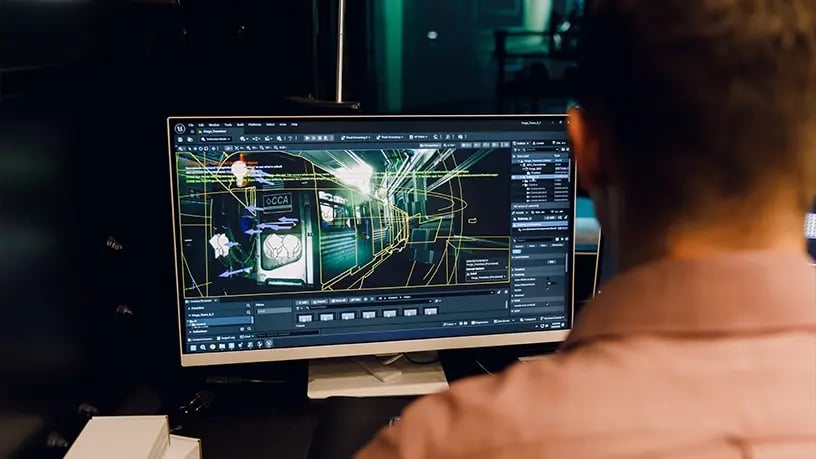
Selecting the right virtual production method starts with understanding how your camera, environments, and lighting will interact on the stage. Some projects benefit from photo-real 2D plates—especially when shots are locked or movement is minimal—because plates offer high fidelity with a predictable workflow. Others demand a fully interactive 3D environment built in Unreal Engine, where the world can be adjusted for blocking, lensing, and time-of-day shifts without reloading entire scenes.
Camera movement is a major determining factor. If the DP plans significant push-ins, tracking shots, or shifts in perspective, 3D environments typically hold up better because they generate accurate parallax across the frustum. For more static compositions, plates can be efficient and cost-effective, as long as they’re captured with the correct lens metadata and perspective.
Next are lighting needs. LED volumes can drive environmental lighting, but only 3D scenes allow for real-time virtual light adjustments that match practical fixtures. If the look requires complex interactive lighting (think car headlights sweeping across talent or reflections across glossy surfaces) a 3D build gives the crew far more flexibility.
Finally, consider asset preparation and production schedule. 3D environments require earlier design, optimization, and approvals, but offer more creative control on set. Plates require less upfront work but lock you into the captured imagery. Knowing your visual priorities, camera plan, and approval workflow will help determine which path best supports your production.
How virtual production comes together on set
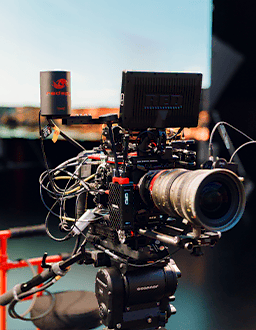
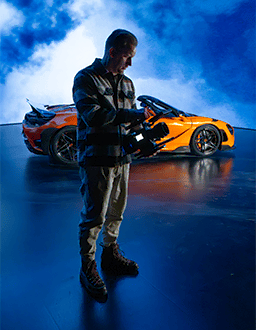
Virtual production equipment functions like a tightly integrated ecosystem. The LED volume, tracking system, and real-time engine operate in sync, and each depends on clear coordination between departments.
These examples show how different workflows play out in practice—from lighting with an LED wall to adapting environments on the fly to integrating practical elements with digital worlds. Understanding these touchpoints will help you build schedules and shot lists that take full advantage of the LED volume stage.
Virtual production cost benefits
When resources are limited, surprises are expensive. Virtual production minimizes the unknowns. Because travel, company moves, and variable location fees are removed, the major costs shift toward environment prep, tracking, and stage time, all of which are scoped up front. This means producers can schedule aggressively without risking overtime caused by travel or resets. And with environments locked before the shoot, teams avoid costly reshoots and extended post schedules. For lean productions operating under tight constraints, this predictability becomes a budget advantage.
Key virtual production terms & definitions
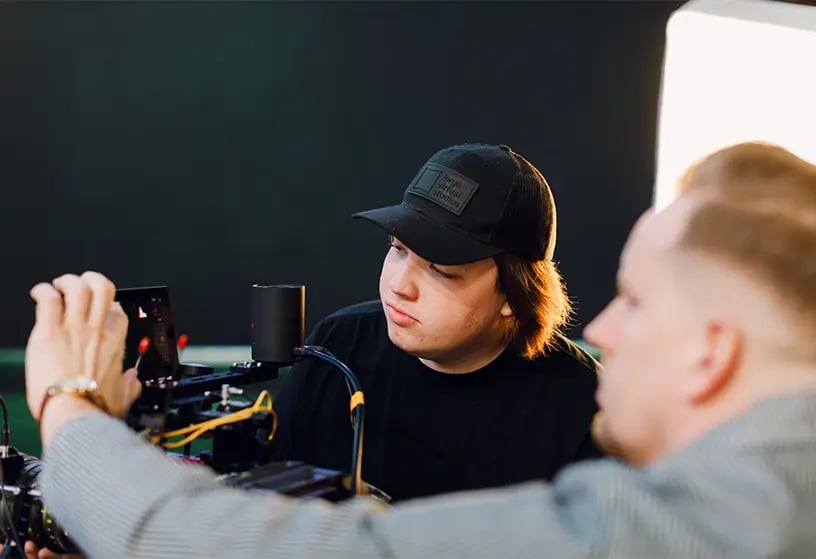
Virtual production has its own set of technical terms, and learning the language around a few core concepts will help you be more confident and proficient on set.
2D Plates – Pre-rendered or captured background imagery displayed on the LED wall as flat content rather than a fully 3D environment.
Camera Tracking – A system that records a camera’s position, rotation, and lens data, then maps it into the virtual environment. This keeps perspective and movement perfectly aligned between real and digital space.
Color Pipeline (ACES, LUTs) – Workflows that keep color consistent between LED output, cameras, and post. Essential to prevent color shifts or clipping.
DMX Lighting Control – A protocol that connects studio lights with the virtual environment, allowing light and color changes to respond automatically to what’s happening on the LED wall.
Frustum – The region of the virtual environment rendered at full quality for the camera’s field of view. Outside this area, the “outer frustum” displays lower-resolution imagery.
Gaussian Splats – A 3D capture technique that represents real-world environments as millions of soft, volumetric points instead of traditional polygon models.
Genlock – The process of synchronizing every camera, display, and playback system to the same frame rate, ensuring a flicker-free image and seamless integration between on-set and digital visuals.
LED Volume – A curved wall made of high-resolution LED panels that display 3D environments in real time. The LED surface replaces green screens, surrounding performers with dynamic light and reflections that look natural in camera.
Lens Calibration – The process of mapping real lens characteristics (distortion, focus, focal length) so the virtual environment aligns perfectly with the physical camera.
nDisplay – Software that synchronizes multiple LED panels and render nodes so the environment displays as one seamless image.
Pixel Pitch – The distance between LED pixels. Smaller pixel pitches (1.2–1.9mm) allow closer camera proximity with fewer moiré risks.
Playback Server – The system that manages real-time rendering, environment switching, and data handoff to the LED processors.
Unreal Engine – The real-time rendering software that powers most virtual sets. It generates photorealistic environments and updates instantly as the camera moves.
From questions to creation: putting virtual production at your fingertips
Frequently asked questions
What kinds of content work best in virtual production?
Commercials, branded content, music videos, interviews, and narrative scenes all benefit. Virtual production is great for content requiring multiple locations or controlled lighting, sound, and climate.
What's the difference between 2D plates and 3D Unreal environments?
2D plates are pre-recorded backgrounds (photo or video), while 3D Unreal environments are real-time generated worlds. Plates are faster to use; Unreal allows dynamic interaction and full creative control.
How does virtual production compare to a green screen studio?
Unlike green screen, the LED volume gives realistic in-camera visuals, accurate lighting reflections, and real-time environments. No post-production compositing needed.
Is virtual production more expensive than traditional shoots?
Not necessarily. It reduces location, travel, weather, and setup costs. For multi-location or high-efficiency shoots, it can be more affordable than traditional methods.
How early should I involve a virtual production studio in my project?
Bring us in as early as possible—ideally during pre-production or concepting. Early collaboration helps align creative goals, lock environments, and optimize schedules, ensuring every shot is achievable before you step on stage.
Do I need prior experience with virtual production to use Forge’s studio?
Not at all. Our team guides you through every step—from environment prep to shoot day. Whether it’s your first time or your fiftieth, we make the process approachable and tailored to your production needs.
How long does a typical virtual production shoot take?
Timelines vary by project, but virtual production often shortens overall shoot time. Because environments are pre-built and lighting is controlled, most teams can capture multiple locations or looks in one prep day and one production day—maximizing creative output without added downtime.
Dive deeper, dream bolder
We’ve got you covered. Visit our blog for more behind-the-scenes breakdowns and real-world tips to explore every corner of virtual production.
Choosing a virtual production partner
Virtual production should be empowering, not intimidating. So, when choosing a partner, look for teams that bridge the gap between creative vision and on-set execution. Whether you’re testing new ideas or scaling your workflow, the Forge Virtual Studios team provides support at every stage. From pre-vis to execution, we help make the process intuitive, collaborative, and built for uninhibited results.